
| Try and Buy |
|

sFlowTrend-Pro
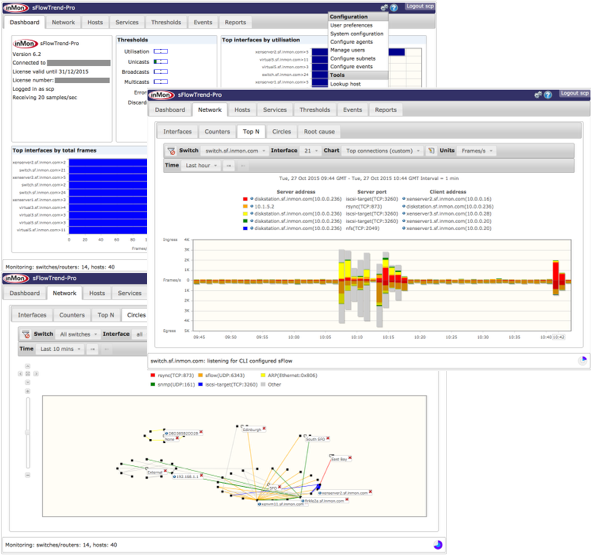
sFlowTrend-Pro™ is a fully featured network traffic monitoring product. sFlowTrend-Pro makes use of the popular sFlow® standard to generate real-time displays of the top users and applications making use of network bandwidth. sFlowTrend-Pro also uses the extensions to the sFlow standard for monitoring physical and virtual server performance, to link network, server, and application performance and provide an end-end view of networked system performance. sFlowTrend-Pro builds on the free sFlowTrend, extending it to allow retention of historical traffic information, and to simultaneously monitor tens of network switches.
- Quickly understand who is using the network and what they are doing.
- Enforce corporate acceptable network use policies.
- Rapidly identify the cause of any problems or abnormal traffic.
- Monitor critical host performance parameters for an entire data center.
- Understand trends in usage and accurately target upgrades.
- Generate management reports on current and historical performance.
Try sFlowTrend-Pro
sFlowTrend-Pro is available for evaluation from the InMon customer portal evaluation page. You will need to create an account on the portal, then request an evaluation of sFlowTrend-Pro.
sFlowTrend-Pro is written in Java and will run on most platforms. sFlowTrend-Pro requires Java version 11 or later. Please ensure that Java is installed first, or install it from the Oracle web site.
If you have any problems installing sFlowTrend-Pro, please refer to the troubleshooting page in the sFlowTrend-Pro on-line help.
The current version is 7.4.1 See release notes for details.
Note: Please see this note about support for sFlowTrend on MacOS.
Starting from sFlowTrend-Pro v7.0, the Java client has been removed, and the web client must now be used to connect to the sFlowTrend-Pro server. Once sFlowTrend-Pro is installed, point your browser to http://localhost:8087 or https://localhost:8443 (you can of course substitue any hostname for localhost, if accessing the server remotely).
On-line help is available by clicking on the sFlowTrend-Pro Help>Help menu item. The online help describes the steps needed to start monitoring traffic with sFlowTrend-Pro and the operation of the tool.
Please read and accept our License Agreement before downloading this software.
Buy sFlowTrend-Pro
sFlowTrend-Pro can be purchased directly from InMon.
Support
Please submit any support requests through the InMon customer portal support page.
You can also use the sFlowTrend Google Group to post questions, look for help, and give assistance or suggestions to other users.
Acknowledgements
sFlowTrend-Pro uses several third-party libraries .
